Disclosure: Chasing Whereabouts is reader-supported. This guide contains affiliate links to partners like Tiqets, GetYourGuide, Viator and Headout. If you make a purchase through these links, we may earn a small commission at no extra cost to you. This helps us continue providing free, first-hand travel guides. Thank you for your support!
📢 Affiliate disclosure: This post contains affiliate links — if you buy through them, we may earn a small commission at no extra cost to you.
✨ This guide is part of our comprehensive Travel Inspiration Hub.
My verdict: The Kodak Mini Shot 2 Era suits anyone who wants an instant camera and a smartphone photo printer in one retro-styled body — I'd recommend it for scrapbookers, crafters and travelers who like handing prints to people they meet. If print quality matters more to you than the fun factor, I'd compare it with Kodak's Mini 3 line before deciding.
In today's digital age where memories often get lost in the sea of digital images, there is a certain charm and nostalgia associated with film photography.
Kodak, a name synonymous with photography, has reimagined film photography with the Kodak Mini Shot 2 Era. In this review, we will delve into the features and user experience of this innovative product.
Advertisement
So let us dive in!
Unboxing Experience
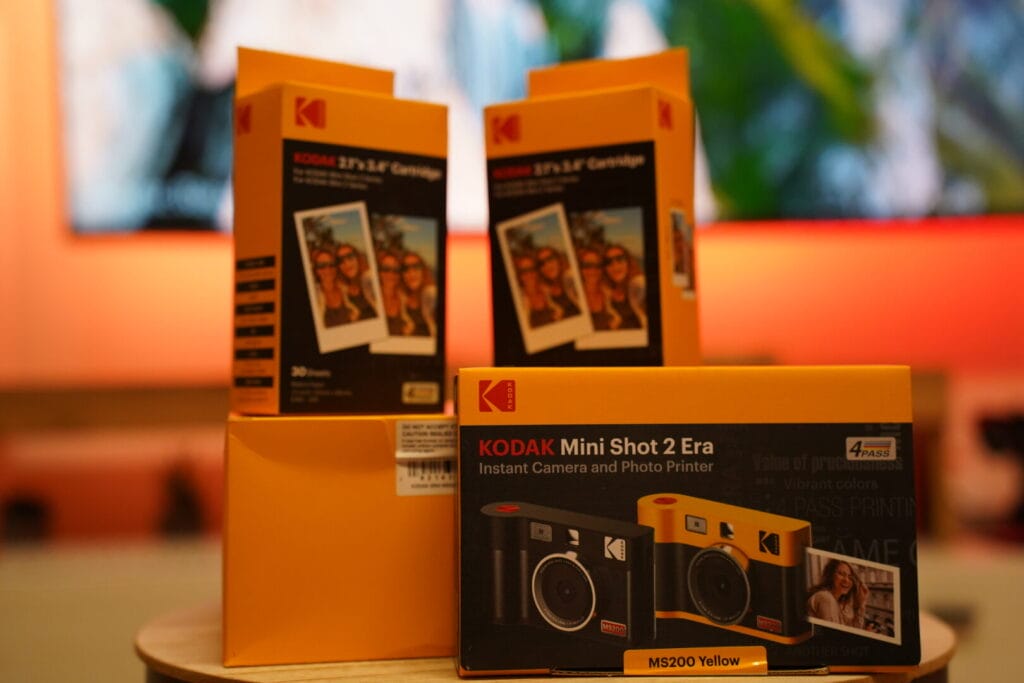
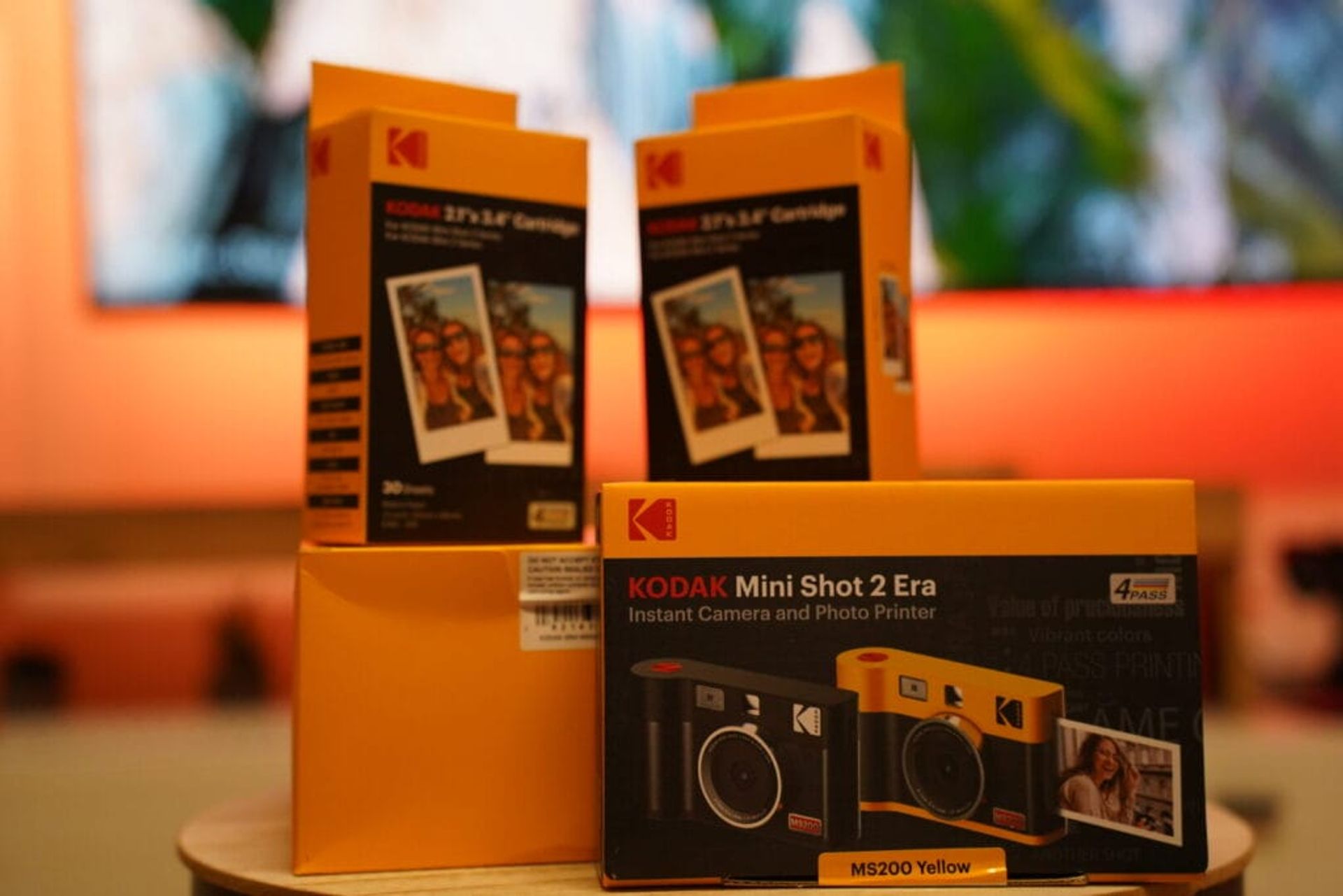
Kodak Mini Shot 2 Era
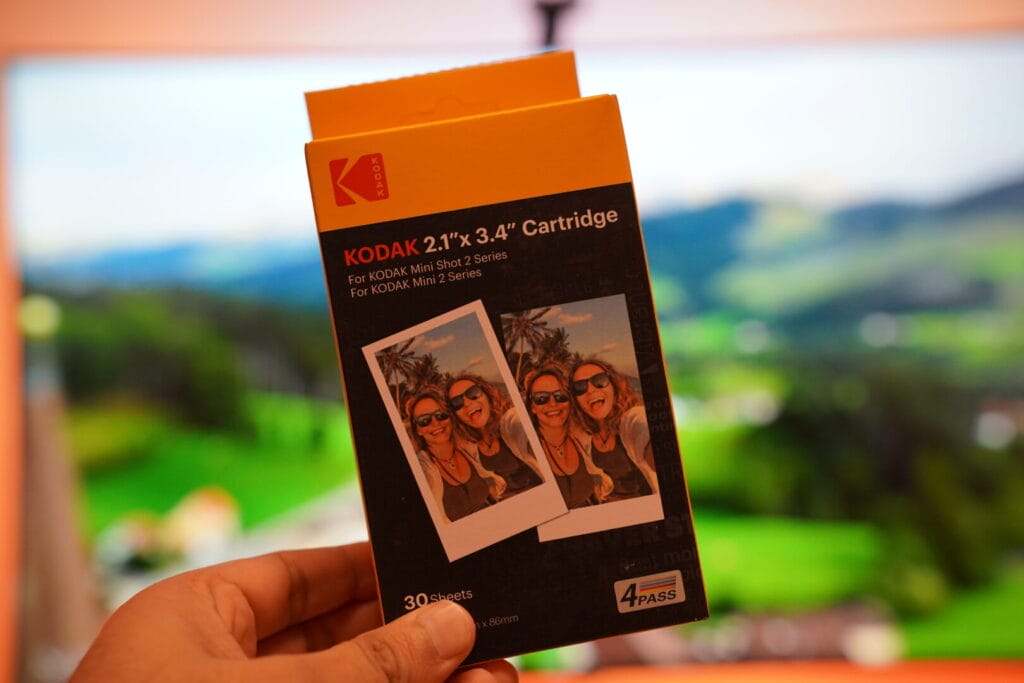
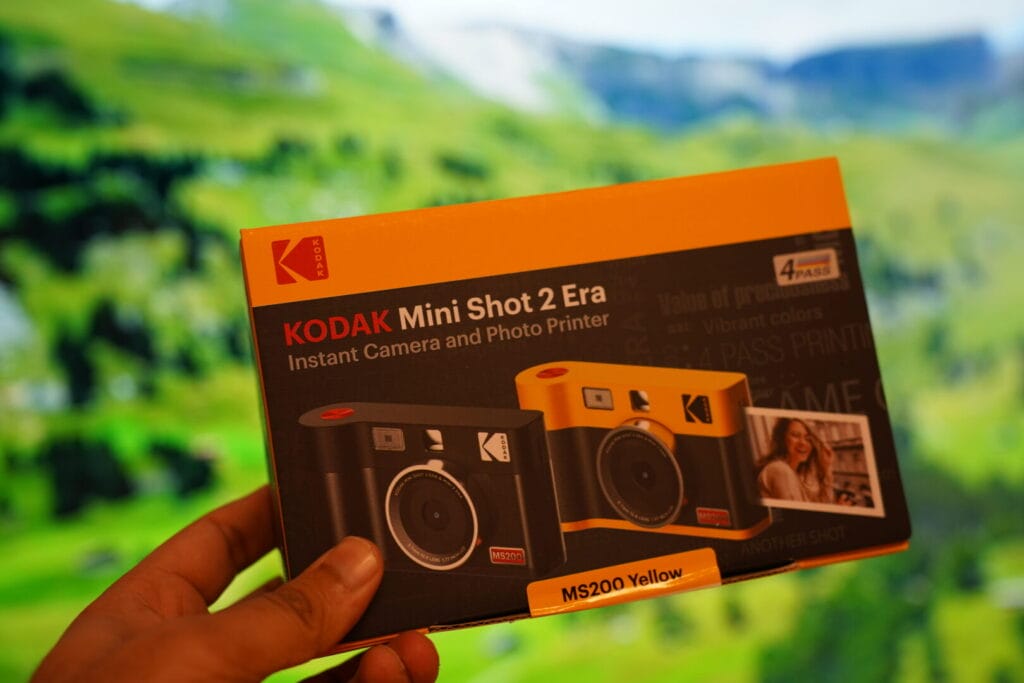
Upon unboxing the Kodak Mini Shot 2 Era, you are greeted with a gift bundle that includes everything you need for the film camera printer. The package contains wallet-sized cartridges with 30 sheets each, along with an accessory kit that enhances the overall user experience. The classic Kodak signature colors of yellow and black give the camera a retro feel, reminiscent of traditional film cameras.
Advertisement
The initial impression is genuinely exciting. Holding this instant camera, the build quality feels solid, a reassuring weight that speaks to its durability for travel. The inclusion of 30 sheets right out of the box means you can start capturing and producing an instant print almost immediately, which is a fantastic touch for someone eager to dive into the experience. The Kodak Mini Shot 2, with its dual functionality, truly stands out.
It's not just a camera; it's also a portable photo printer. The thought of being able to print cherished moments on the spot, without needing a separate device, truly elevates the experience. This dual functionality is what makes the Kodak Mini Shot 2 Era stand out from other instant cameras on the market, especially since it also offers easy connectivity via Bluetooth for printing from your phone.
Features and Design
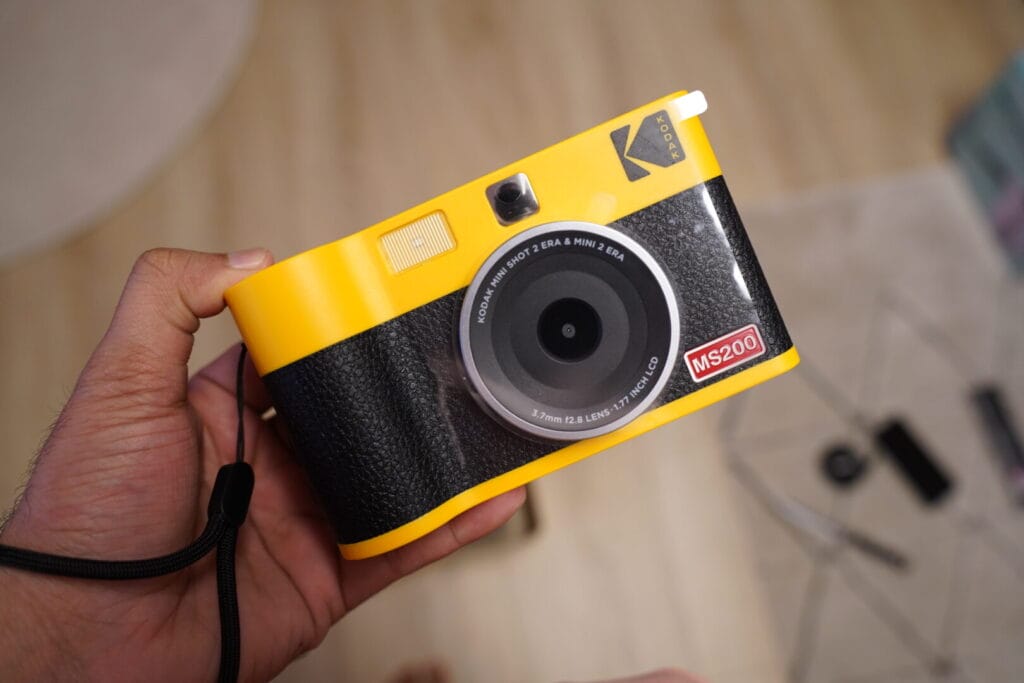
The Kodak Mini Shot 2 Era utilizes four-pass thermal transfer technology to deliver outstanding photo quality. It allows you to transfer pictures to smartphones effortlessly, thanks to its compatibility with both Android and iOS devices. The camera's design is sleek and compact, making it easy to carry around for capturing moments on the go.
The digital screen at the back serves as a viewfinder, while the cartridge can be easily replaced once it runs out of sheets for printing. The camera printer's front resembles a typical camera body, complete with a pancake lens and a red shutter button for capturing still images.
Advertisement
User Experience

Using the Kodak Mini Shot 2 Era is a delightful experience for both amateur photographers and enthusiasts alike. The camera's ability to print photos instantly adds a touch of magic to capturing memories. Whether you are taking portraits, scenic shots, or selfies, the Kodak Mini Shot 2 Era delivers both convenience and quality.
One thing that I like about the Kodak camera compared to my existing Kodak instant camera is that I have the freedom to print the iPhone photos as well and that was the first photo which I decided to print from the camera.
Accessory Kit
Beyond the camera itself, the accessory kit included with the Kodak Mini Shot 2 Era is surprisingly thoughtful and practical for a traveler like me. It typically contains a USB charging cable, a wrist strap, and sometimes even a small cleaning cloth.
The wrist strap is particularly useful, offering peace of mind when I'm walking through bustling markets or hiking rugged trails – it prevents accidental drops. And while the camera holds a decent charge, having the USB cable means I can easily top it up using a power bank or any standard USB port, ensuring I’m always ready to print. The ability to connect the Kodak Mini Shot 2 to my phone via Bluetooth for printing adds another layer of versatility. These small additions genuinely enhance the usability of the Mini Shot 2 Era, making it a reliable companion for capturing and sharing memories instantly.
Advertisement
What is the difference between the Kodak Mini 2 Era and the Kodak Mini 3 Era?
| Feature | Kodak Mini Shot 2 Era | Kodak Mini 3 Era |
|---|---|---|
| Print Technology | Dye Sublimation | Dye Sublimation |
| Connectivity | Bluetooth | Bluetooth, NFC |
| Maximum Print Size | 2.1 x 3.4 inches | 3 x 3 inches |
| Print Speed | About 1 minute per photo | About 50 seconds per photo |
| Resolution | 313 x 400 dpi | 291 x 291 dpi |
| Paper Capacity | 10 sheets | 10 sheets |
| Battery Life | Up to 20 prints per charge | Up to 25 prints per charge |
| Charging Time | Approx. 1.5 hours | Approx. 2 hours |
| Dimensions | 3.0 x 5.2 x 1 inches | 4.6 x 3.2 x 1 inches |
| Weight | 238 grams (8.4 oz) | 256 grams (9 oz) |
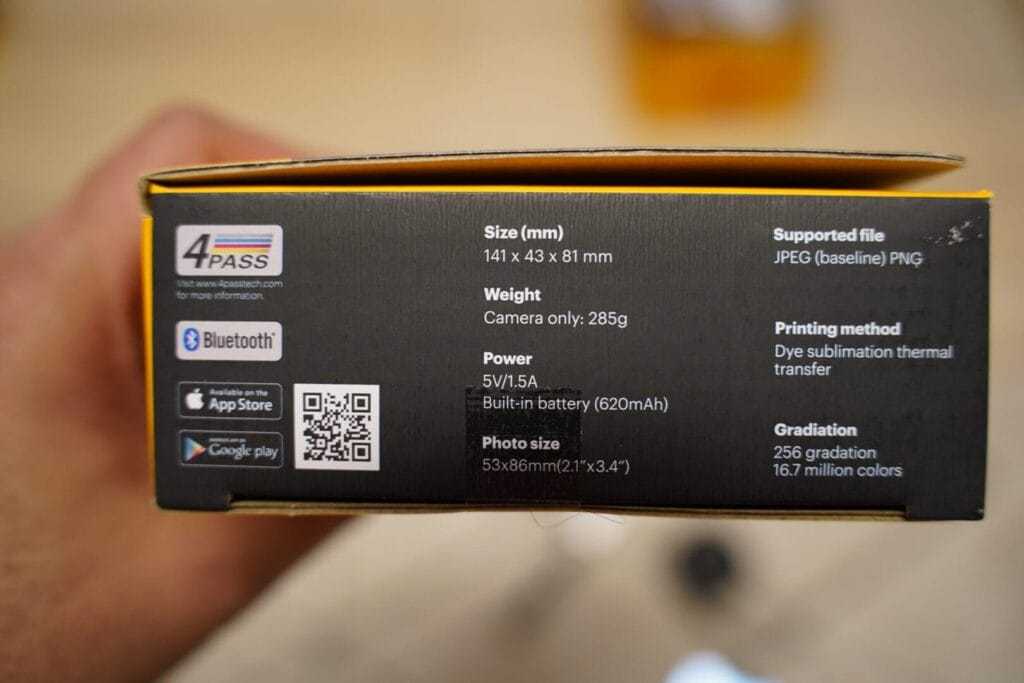
The Kodak Mini 2 and Kodak Mini 3 are both portable photo printers designed by Kodak, utilizing dye sublimation technology for printing high-quality photos. However, there are some differences in their features and specifications that cater to different user needs.
-
Print Technology: Both printers use dye sublimation for vibrant and durable prints.
-
Connectivity: While the Mini 2 offers Bluetooth connectivity, the Mini 3 adds NFC to make pairing with mobile devices even easier.
-
Maximum Print Size: The Mini 3 prints larger square photos at 3 x 3 inches (9 sq in of print area), compared to the Mini 2's 2.1 x 3.4 inches (7.1 sq in) — a real difference if you like bigger borders and group shots.
Advertisement
-
Print Speed and Resolution: The Mini 3 boasts a faster print speed but has a slightly lower resolution than the Mini 2.
-
Paper Capacity and Battery Life: Both models can hold up to 10 sheets of paper, but the Mini 3 offers a slightly better battery life.
-
Charging Time and Physical Dimensions: The Mini 3 takes longer to charge and is slightly larger and heavier than the Mini 2, emphasizing its enhanced features.
In essence, the choice between the Kodak Mini Shot 2 Era and Kodak Mini 3 Era depends on the user's priorities, such as print size preference, connectivity options, and portability needs.
Kodak Mini Shot 2 Era vs Retro: What's the Difference?
If you're comparing the Era with the Retro before buying, the headline is simple: the two models share the same print engine. Both the Era (MS200) and the Retro (C210R) use the four-pass thermal dye sublimation process, print 2.1 x 3.4 inch photos at 313 x 400 dpi, hold 10 sheets per cartridge, and pair with your phone over Bluetooth through the same Kodak app. My 20-25 prints per charge applies to both.
So the choice between them is almost entirely about design:
- Kodak Mini Shot 2 Era — the classic Kodak look: yellow and black body with the retro film-camera silhouette. This is the model reviewed above, and the bundle includes 30 sheets plus an accessory kit.
- Kodak Mini Shot 2 Retro — vintage styling with leatherette detailing and a more old-school camera aesthetic, often bundled with a leather wrist strap. Internally, it's the same camera with the same prints.
Which should you buy? Pick the one whose looks you prefer — they print identically. If you want the deeper vintage vibe, or you're gifting it to someone who loves retro aesthetics, the Retro is the safer bet. If you want the classic Kodak yellow-and-black, get the Era. Both take the same 10-sheet cartridges, so stocking up on film works for either model.
How to Setup Kodak Mini Shot 2 Era with Phone
Setting up your Kodak Mini Shot 2 Era with your phone involves a few simple steps. Here's a guide to help you connect them so you can start capturing and printing your memories directly from your phone.
Step 1: Charge Your Kodak Mini Shot 2 Era
-
Before you start, ensure your camera is fully charged.
-
Use the USB cable provided in the box to charge your camera.
-
A full charge typically takes around 2 hours.
Step 2: Download the Kodak App
-
On your smartphone, go to the App Store (iOS) or Google Play Store (Android).
-
Search for the
Kodak Instant Printerapp. -
Download and install the app on your phone.
Step 3: Turn On Your Camera
-
Power on your Kodak Mini Shot 2 Era by pressing the power button.
-
Wait for the camera to boot up.
Step 4: Enable Bluetooth on Your Phone
-
Go to your phone’s settings.
-
Navigate to the Bluetooth settings.
-
Turn Bluetooth on.
Step 5: Connect to the Camera via Bluetooth
-
Open the
Kodak Instant Printerapp on your phone. -
Follow the in-app instructions to pair your phone with your Kodak Mini Shot 2 Era. This usually involves selecting your camera from the list of available Bluetooth devices.
-
Once connected, you may need to confirm the pairing on both your phone and camera.
Step 6: Start Taking Photos or Print from Your Phone
-
With the app and camera connected, you can now take photos using your camera and print them directly.
-
Alternatively, you can select photos from your phone’s gallery within the Kodak app and send them to your Kodak Mini Shot 2 Era for printing.
Troubleshooting Tips
If you're having trouble connecting:
-
Ensure your camera is charged and powered on.
-
Check if Bluetooth is enabled on both your phone and camera.
-
Restart both your phone and the Kodak Mini Shot 2 Era and try pairing them again.
-
Make sure you're using the correct Kodak app compatible with your camera model.
By following these steps, you should be able to successfully set up your Kodak Mini Shot 2 Era with your phone and start printing your favorite photos directly from your device. Enjoy capturing and sharing your memories!
Final Thoughts
In conclusion, the Kodak Mini Shot 2 Era is a perfect blend of nostalgia and modern technology. It brings back the joy of film photography while incorporating features that cater to today's digital world. Whether you are a photography enthusiast or someone looking to preserve memories in a tangible form, the Kodak Mini Shot 2 Era is a worthy companion.
So, if you are looking to embark on a journey of rediscovering the art of film photography, consider adding the Kodak Mini Shot 2 Era to your collection. Capture moments, print memories, and embrace the nostalgia with this innovative camera printer from Kodak.
Frequently Asked Questions
Q: Does the camera have a built-in viewfinder? A: No, the Kodak Mini Shot 2 Era doesn't feature a traditional optical viewfinder. Instead, it relies on its built-in LCD screen for framing your shots, which also doubles as a display for reviewing photos before you decide to print them. This digital approach offers flexibility in composition.
Q: Does the camera indicate battery life? A: Absolutely, keeping track of power is crucial on the go. The Kodak Mini Shot 2 Era clearly displays its battery life on the LCD screen, so you're never caught off guard. I always make sure to check it before heading out for a day of capturing memories.
Q: How does the Kodak Mini Shot 2 Retro print photos? A: The Kodak Mini Shot 2 Retro uses a four-pass thermal dye sublimation technology, which means it applies yellow, magenta, and cyan dyes in successive layers, followed by a protective overcoat. This process ensures vibrant, long-lasting, and smudge-proof prints directly from the device or via Bluetooth from your phone.
Q: How many photos can it print per charge? A: From my experience, a fully charged Kodak Mini Shot 2 Era can reliably print around 20-25 photos before needing a recharge. This is quite practical for a day trip, but for longer adventures, I always carry a power bank to ensure I can continue to print every special moment.
Q: Is the Kodak Mini Shot 2 Era the same as the Retro? A: Same print engine, different shell. The Era (MS200) and the Retro (C210R) both use the four-pass dye sublimation process, print 2.1 x 3.4 inch photos at 313 x 400 dpi, and connect via Bluetooth. The difference is design: the Retro wears a vintage leatherette finish, while the Era keeps the classic Kodak yellow-and-black look.
Q: Which is better: Kodak Mini Shot 2 Era or Retro? A: For print quality and features, they're equal — you're choosing between two designs of the same camera. Buy the Retro if you want the old-school leatherette aesthetic, the Era if you prefer classic Kodak styling. Both take the same 10-sheet cartridges and print roughly 20-25 photos per charge.
Save More
Save 5% on activities
Use code CHASINGWHEREABOUTS5 in the GetYourGuide app.
Book this exact experience in GetYourGuide appGet Travel Tips in Your Inbox
Join 5,000+ travelers. Get exclusive itineraries, honest reviews, and budget hacks once a week.
No spam. Only high-quality travel advice. Unsubscribe anytime.